Small Wins
Daily wins with photo evidence, AI focus text and life-area coaching
Lifetime Downloads
Total Revenue
Peak Active Devices
Source: App Store Connect · Lifetime data
Project overview
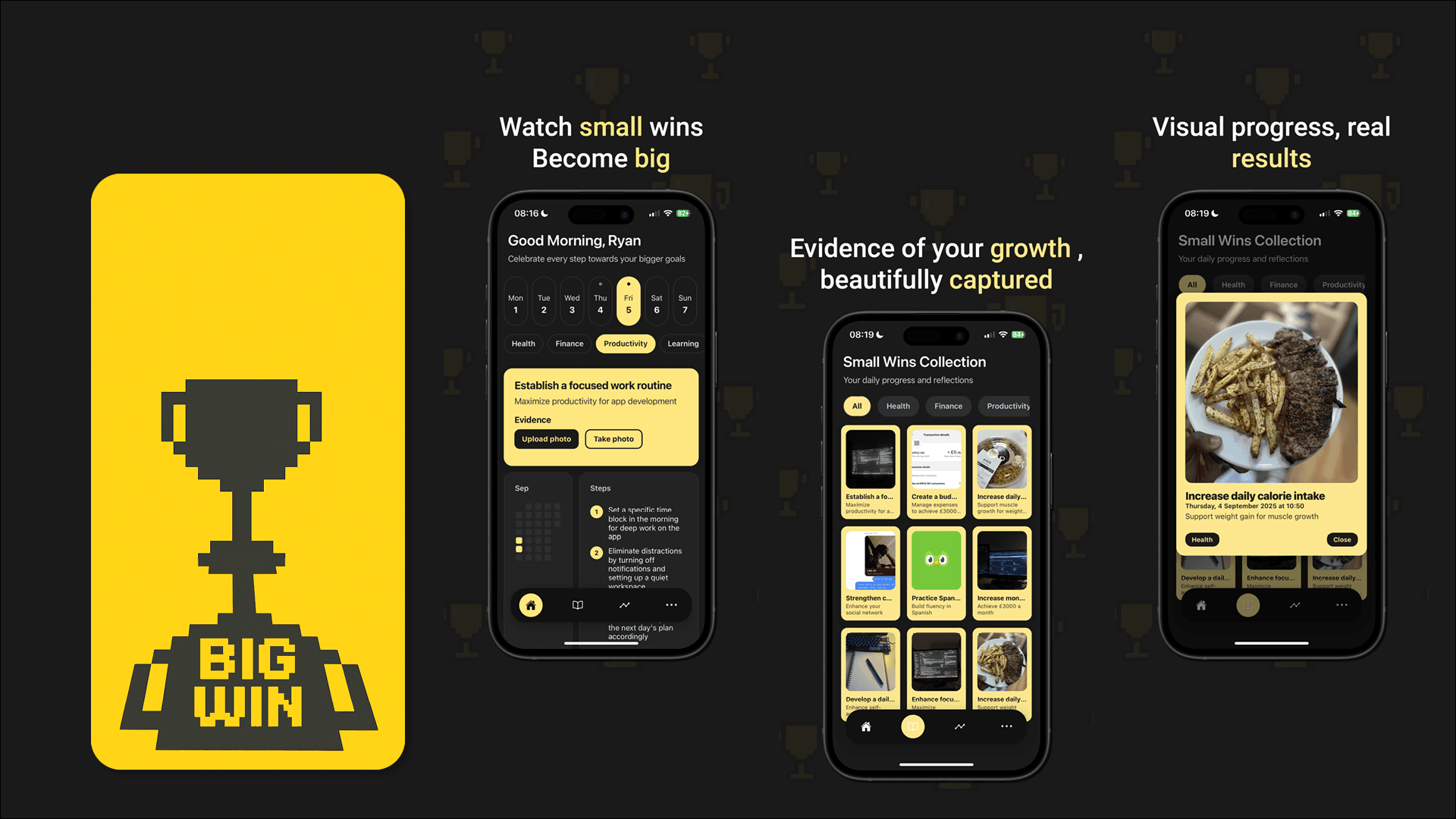
Small Wins is a React Native / Expo mobile app (portrait, iOS and Android) built around logging daily wins with photo evidence, guided by AI-generated focus text and small action steps tied to life areas: Health, Finance, Productivity, Learning, Relationships and Self-growth. As founder, product, UX/UI and engineer, I connected the journal model, media pipeline, notifications, themes and subscriptions into one coherent flow.
I wrote this to show how I reason through product decisions, not only what ended up in the app.
Personal and problem context
Generic habit apps often push streaks and guilt. Plain journals do not nudge you toward one meaningful focus. I wanted a middle ground: a place to capture real proof (photos), see category-aware coaching from AI, and still own the data on device. Life areas give structure without turning the app into a spreadsheet.
Small Wins is built so users can:
- Pick a day or week, choose a category and read an AI "focus" line plus subtitle and tiny steps from
openaiService. - Attach evidence photos, persisted through
imageStorageusing image picker, media library and file system APIs. - Append structured entries to
journal.entries, with name and onboarding context feeding personalization. - Review history with filters, fix broken image URIs when needed (rehydrate from
assetId, re-persist). - See month-level activity on the analytics tab and tune reminders, themes and premium from More.
Users
Primary
People who want gentle structure: a daily nudge, a clear focus per category and a visual record of progress. They are fine with AI copy if it feels like a coach, not a lecture.
Secondary
Users exploring premium themes and deeper personalization after trying the free core loop (journal + photos + reminders).
Not targeted
- Teams or shared workspaces in v1 (everything is local-first on the device).
- Heavy analytics dashboards or social feeds.
- Users who cannot grant photo or notification permissions where those features are core.
Goals & success metrics
I set concrete goals so the work stayed tied to measurable outcomes.
Fast capture
Wins need to be logged in the moment with optional photo proof
Trustworthy journal
Entries and media must survive app updates and permission changes
Premium clarity
RevenueCat gates real value, not basics of logging
Useful AI, strict shape
Coach copy must parse reliably into the UI
Constraints & assumptions
- Solo build: Scope stayed focused on journal + media + reminders + monetization, not a full backend in v1.
- Local-first:
AsyncStorageholds journal entries, onboarding state, theme, reminders config and premium flag. - Client-side AI: OpenAI calls happen on-device via
openaiService; the app ships no custom backend. Prompts embed category personas and return strict JSON so the UI can parse focus text, subtitles and action steps reliably. - Photo permissions: Camera and media-library access are required for evidence photos. If denied, the capture flow degrades to text-only entries.
- Monetisation via RevenueCat: Premium themes and related UX are gated behind a paywall; the core journal + reminders loop stays free.
Competitive analysis
Gap identified: no app combined daily photo evidence, category-specific AI coaching and a gentle structure without guilt-driven streaks.
Design process
Research
I approached research in three ways:
- Competitive teardown. I tested habit and journal apps, noting where guilt-based streaks create anxiety and where gratitude journals lack actionable guidance.
- Informal interviews. I spoke with six people who journal inconsistently. They wanted a quick daily nudge, visual proof of progress and coaching that felt like a friend, not a therapist.
- Desk research. I studied positive psychology literature on micro-wins, photo-based self-reflection and category-based goal setting. These informed the six life areas.
Define
I synthesised research into a problem statement:
People want to celebrate small daily progress across different life areas, but existing tools either push guilt-driven streaks or provide no actionable focus. They need a place to capture proof, receive gentle AI coaching and see patterns over time.
Three experience principles guided all design decisions:
- Celebrate, don't punish: No streaks, no guilt. Every entry is a win.
- Photo proof: Visual evidence makes wins feel real and reviewable.
- Coach, don't lecture: AI text should feel like a supportive friend, not a self-help book.
Ideate
I sketched concepts for the home screen, journal grid and analytics. Low-fidelity wireframes locked layout and flow, while mid-fidelity wireframes added the dark theme, yellow accent and real AI copy. I also prototyped the OpenAI prompt structure to confirm that category personas could return strict JSON.
Low-fidelity wireframes
I started with grayscale wireframes to map out the six core screens: Home, Journal, Analytics, More/Settings, Onboarding and Paywall. These stripped-back layouts helped me validate the information hierarchy, navigation model and photo-capture placement before introducing visual design.
Mid-fidelity wireframes
Building on the lo-fi layouts, I introduced the dark theme (#1A1A1A), yellow accent (#FFE680), real AI focus copy and category colour-coding. These wireframes became the foundation for the final UI.
Test
I tested interactive prototypes with eight users over two rounds. Round one revealed that users wanted the AI focus card to feel more personal. After adding the user's name and time-of-day greeting, satisfaction improved and photo-attaching users showed higher next-day return.
Information architecture
Navigation uses a floating pill-shaped bottom tab bar with four tabs: Home, Journal, Analytics and More. Onboarding and the paywall sit outside the tab structure and appear conditionally. All data stays on device in AsyncStorage.
Each tab serves a distinct purpose.
| Tab | Purpose |
|---|---|
| Home | Greeting, weekly calendar, category filter, AI focus card with action steps and photo capture button |
| Journal | Polaroid-style grid of past entries with category filters and tap-to-expand detail modal |
| Analytics | Monthly activity heatmap, per-category heatmaps and activity legend |
| More | Appearance toggle, notifications, reminder time, theme colour grid (free and premium), legal links and destructive actions |
User journey flow diagram
This diagram maps the full flow from first launch through onboarding, daily focus-and-capture, journal review, analytics exploration and the premium upgrade path. It surfaced edge cases early, like broken image URI recovery and the camera-permission fallback.
User journey flow
Launch & onboarding
First-time users complete a six-step onboarding: choose life-area categories, set sub-category preferences, pick a preferred time, choose a win style, enable notifications and enter their name. This data feeds the AI prompt so focus text feels personal from day one.
Daily focus & capture
On the Home tab, the user sees a time-of-day greeting, picks a day on the weekly calendar and chooses a category. The AI focus card shows a coaching line, subtitle and three action steps. A prominent camera button lets them capture a photo or pick from their library. The entry is saved with the photo URI, category, date and focus context.
Journal review
The Journal tab displays entries as a three-column polaroid grid, filterable by category. Tapping an entry opens a detail modal with the full photo, focus text and metadata. If a photo URI has broken (e.g. after an OS update), the app rehydrates it from the media library assetId and re-persists the new URI.
Analytics & reflection
The Analytics tab shows a monthly heatmap of overall activity plus per-category heatmaps. This lets users spot patterns (e.g. strong Health weeks, quiet Finance periods) and adjust their focus.
Settings & premium
The More tab houses appearance (dark/light), notification toggles, reminder time and a theme colour grid with 12 options. Most colours are premium-gated via RevenueCat, and destructive actions like deleting all photos require confirmation.