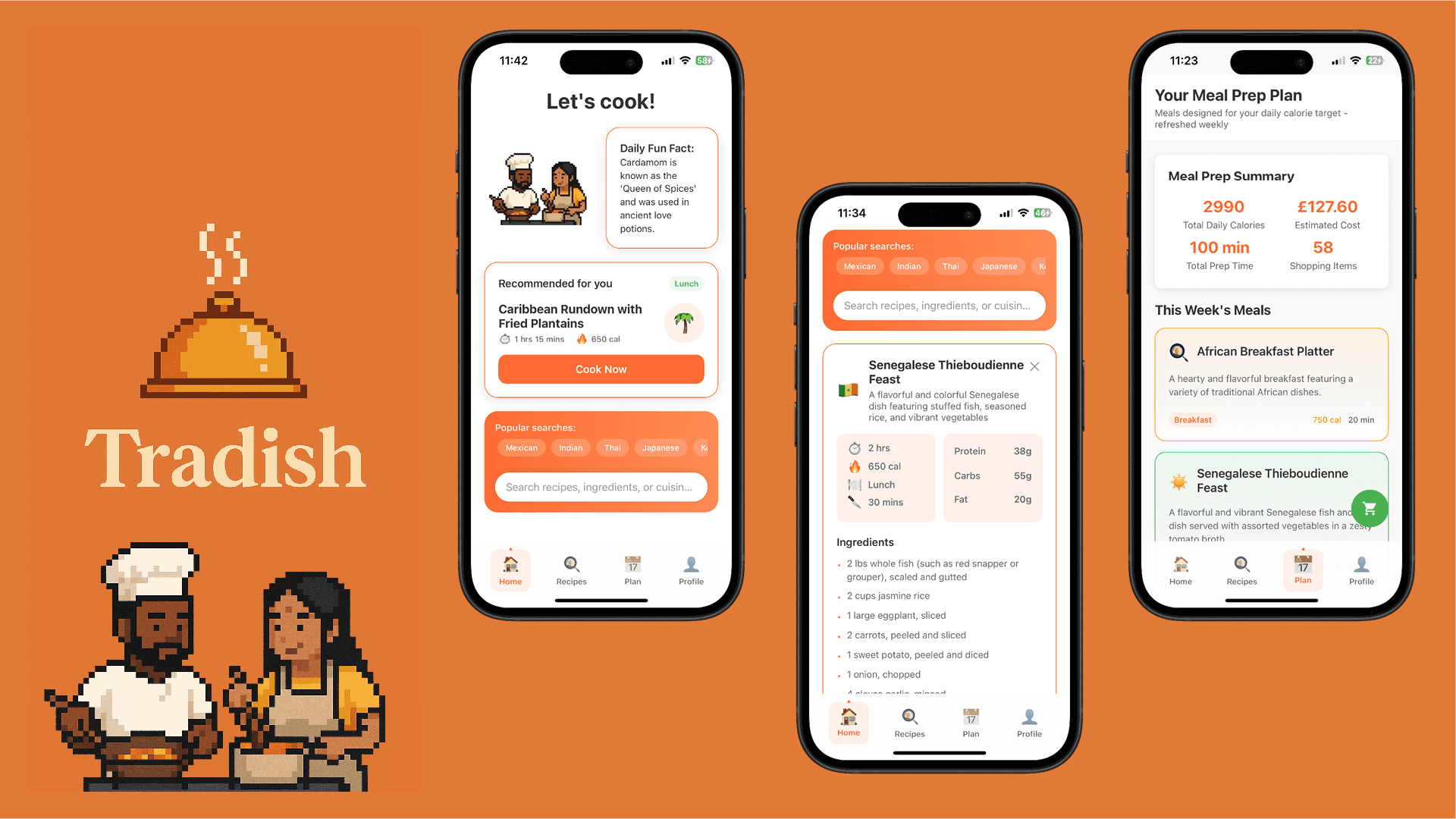
Tradish
Designing a global food discovery app from a personal passion
Lifetime Downloads
Total Revenue
Peak Active Devices
Source: App Store Connect · Lifetime data
Project overview
Tradish is a mobile app for iPhone and iPad that helps home cooks discover, plan and cook authentic dishes from many cultures. I built the first version solo in a six-week sprint (July-August 2025). Since then I have shipped incremental updates based on user feedback, iterating on onboarding, recipe management and meal planning.
I wrote this to show how I reason through product decisions, not only what ended up in the app.
Personal and problem context
Growing up in a multicultural family in London, food was my bridge to countless cultures. I learned dishes from relatives, friends, and later from YouTube videos. As I took up cooking, I noticed a gap:
Finding diverse meals was hard. I'd try a Persian stew one week and Senegalese fish the next, but outside of word-of-mouth or random online searches, there was no tool that helped me continue exploring. Most recipe apps focused on generic or western food and emphasised nutrition tracking or trendy content.
The friction I experienced became the seed of Tradish. I wanted an app that:
- Celebrated culture and heritage as much as calories and macros.
- Was as quick to use as grabbing a recipe from a friend.
- Encouraged experimentation and planning without overwhelming users.
Users
- Primary: Busy home cooks who are culturally curious. They cook several times per week, crave variety and want to plan meals without spending hours researching.
- Secondary: Diaspora users who want to rediscover dishes from their heritage and keep family recipes alive.
- Not targeted: Professional chefs and social-media foodies. They need deep customisation or social sharing, which would have distracted from the MVP.
Goals and success metrics
I defined concrete goals to keep the app outcome-driven:
Fast discovery
Reduce friction and encourage daily use
Cultural exploration
Encourage trying dishes from new regions
Weekly planning
Support meal prep for busy schedules
Subscription uptake
Validate the value of premium features
Constraints and assumptions
- Solo founder: As both designer and developer, I had to balance scope with feasibility. I limited the MVP to a few high-impact features to ship quickly.
- AI maturity: Recipe generation relies on language models. I assumed users would accept generative recipes if they could see and edit the output.
- Dataset bias: I understood that not all cultures were equally represented in the dataset. A long-term goal was to source more diverse recipes.
Competitive analysis
Rather than building a feature matrix, I studied where competing products focus their energy:
Gap identified: no one combined cultural storytelling with quick discovery and planning.
Design process
As designer and target user, I combined desk research with lightweight user feedback.
- Competitive teardown of western-centric recipe apps
- App Store reviews + Reddit pain-point mining
- Informal interviews with culturally diverse home cooks
Framed the core problem and set experience principles as a north star.
- HMW: help curious cooks discover & plan authentic meals
- Personas: busy home cooks + diaspora users
- Principles: speed · culture feels human · plan reduces decisions
Sketched and prototyped multiple directions before committing to a layout.
- Card vs list layouts for recipe discovery
- Infinite scroll vs curated suggestions
- GPT-4 placeholder recipes to test AI generation
Low-fidelity wireframes
I began with grayscale, low-fidelity wireframes to map out the core screens without getting distracted by colour or detail. I stuck to layout, hierarchy and flow, and asked on each screen: what does the user need here, and what's the fastest path to value?
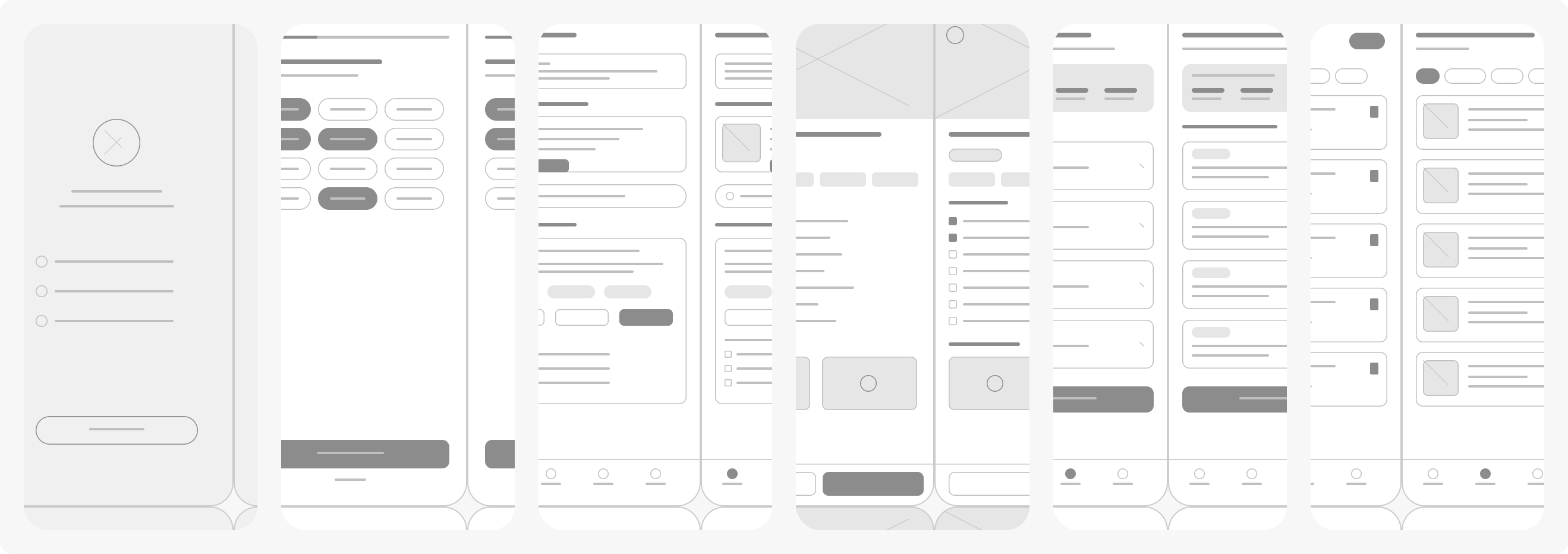
Low-fidelity wireframes: Welcome, Onboarding, Home, Recipe Detail, Meal Planner, Saved Recipes
View in FigmaMid-fidelity wireframes
Once the layout and flow felt right, I layered in the Tradish brand (the signature orange ), real content and more refined UI elements. This step validated that the visual hierarchy, spacing and component patterns worked with actual data before moving to code.
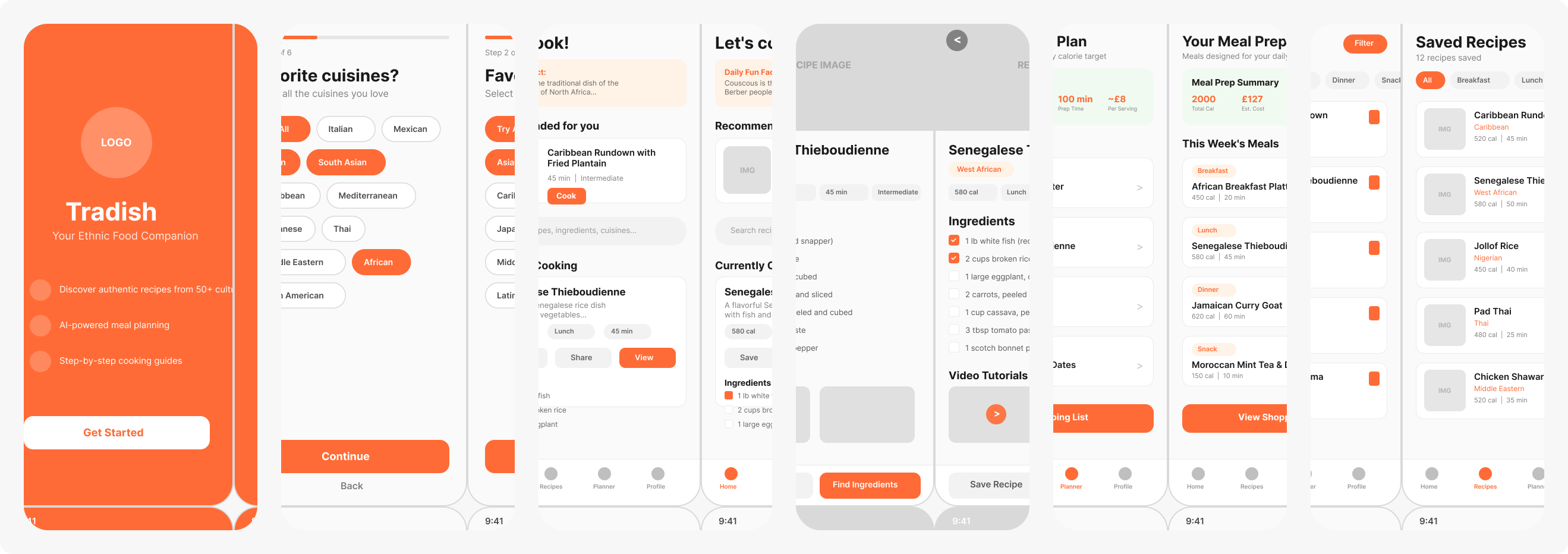
Mid-fidelity wireframes, with Tradish colours and real content
View in FigmaTest
Before building the full app, I tested interactive prototypes with five friends and colleagues. They completed tasks like finding a dish from a new culture and creating a weekly plan. Their feedback highlighted friction points and validated the appeal of short cultural stories.
After launching v1.0, I continued testing by monitoring analytics and collecting qualitative feedback through TestFlight builds. Each release incorporated these learnings, from simplifying onboarding to introducing Smart Meal Distribution.
Final screens
A guided tour of the shipped app, with callouts on the design decisions behind each screen.
Home — Let's cook!
Friendly entry point that nudges the user straight to action.
- 1Pixel-art mascotHuman, playful branding that sets Tradish apart from sterile recipe apps.
- 2Daily fun factCultural context delivered in a single glance — no reading required.
- 3One-tap "Cook Now"Reduces decision fatigue by always surfacing a single recommended meal.
- 4Popular searchesCuisine-first discovery instead of ingredient-first filtering.
Home — search & recipe card
Orange discovery header with popular chips, search and a full recipe preview.
- 1Popular searchesCuisine chips keep discovery one tap away from the keyboard.
- 2Search fieldSingle field for recipes, ingredients or cuisines.
- 3Recipe sheetTitle, story, macros and ingredients without leaving home.
- 4Tab barHome stays primary; Plan and profile stay reachable.
Recipe detail
All the info needed to decide and cook — without scrolling walls of text.
- 1Search always visibleUsers can pivot to a different recipe without leaving the flow.
- 2At-a-glance metaTime, calories, meal type and prep — the four questions users actually ask.
- 3Macro breakdownProtein, carbs, fat in a glance so health-conscious users don't need a separate tracker.
- 4Clean ingredient listScannable bullets with accent dots that tie back to the Tradish orange.
Meal planner
Weekly planning that feels as lightweight as a calendar, not a spreadsheet.
- 1Week navigationArrows + explicit date range prevent the "what week am I on?" problem.
- 2Weekly summaryCalories + macros auto-aggregated so the user never does the math.
- 3Shopping list CTAOne tap to turn the plan into a grocery trip — the highest-value action.
- 4Completed statesGreen + strikethrough gives dopamine + clear progress signal.
Shopping list
Auto-generated, grouped by aisle, with a real-world checkable UI.
- 1Auto-syncRefresh pulls the latest ingredients from the plan — no manual entry.
- 2Clear completedLets users reset after a shop without losing the category structure.
- 3Aisle groupingsPantry, Meat, Produce etc. — mirrors how people actually walk a store.
- 4Big checkboxesThumb-sized targets optimised for one-handed use in a supermarket.
Saved recipes
A personal cookbook that rewards exploration.
- 1Personal framing"My Saved Recipes" + "Your Personal Recipe Collection" creates ownership.
- 2Emoji thumbnailsCheap but delightful visual identity for every cuisine.
- 3Consistent metaTime + calories appear on every card — predictable scanning pattern.
Experience principles
Before wireframing, I established three principles to guide every design decision:
- Speed over completeness. Minimise steps to see value. If users don't get a recipe quickly, they drop off.
- Culture feels human, not academic. Avoid dry encyclopaedic descriptions. Each recipe includes a brief story to provide context, drawn from trusted sources.
- Planning reduces decisions, not adds them. Weekly planning surfaces only the most relevant options and suggests default calorie distributions so users aren't overwhelmed by numbers.
Information architecture
I kept the navigation intentionally shallow:
- Home: AI-generated suggestions and quick search.
- Discover: Explore by culture, ingredient or popularity.
- Plan: Weekly meal planner with summary statistics (calories, cost, prep time).
- Saved: A personal library of recipes.
- Profile: Manage preferences and subscriptions.
User journey flow
I mapped the full user journey from first launch through onboarding, discovery, planning and the premium upgrade path. This diagram guided each screen's purpose and helped me spot where the flow could stall.
Full user journey flow from app launch to meal planning and premium conversion